Image color changer: replace one color with another
Tap a colour in the picture (every red, every blue sky, every green) and choose what it becomes. Set how wide the colour range is and how strong the change; lightness and texture are kept. Works for one photo or many.
or drop files or a folder here, or paste
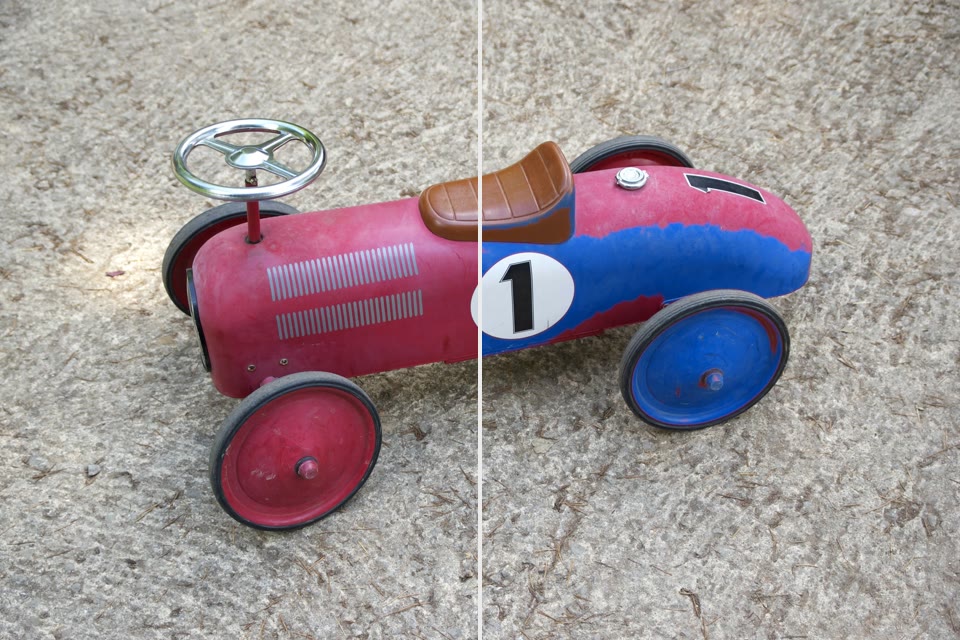
How to change the color of an image
- Choose photos, or drop them on the page.
- Tap the object (or the colour) in the photo and pick the new colour from the swatches or your own.
- Adjust the tolerance and strength, check the preview, then save one photo or all of them as a ZIP.
Change the color of a car, clothes or a wall in a photo
Tap once to select the object by its colour, pick from the swatches or any colour, and keep the original shading. Use it to try a new car paint, a dress in another colour or a wall before painting.
Change color of picture: replace a colour, keep the texture
Turn every red into blue, a green background into teal or a blue sky into pink. Lightness and detail stay; only the hue moves.
Change color of picture: Questions
How do I replace one colour with another everywhere?
Switch to “Every pixel of a colour”, tap the colour in the picture and pick the new one. The Colour range slider sets how close a hue must be to change; greys, whites and blacks are left alone.
How do I change the colour of something in a photo?
Tap the object: the tool selects the connected area of similar colour, kept inside or outside the photo's main subject outline, and recolours it with the colour you pick. Tap more parts (wheels, a sleeve) to add them; Clear starts again. If too little or too much is selected, move the Tolerance slider.
Why does the new colour look natural?
Only the hue (and the saturation, relative to the original) changes. Each pixel keeps its own lightness, so folds, shadows, reflections and texture stay exactly where they were.
What does not work well?
Very dark or almost white objects have little colour to shift: they take the new hue but stay dark or light. Objects with many colours (prints, patterns) may need two taps in the colour mode. Hair and fine edges follow the colour of the pixels, not a cut-out.
Does it use AI?
A background-removal model (the same one as Remove background) finds the main subject's outline once per photo, on your device; it is downloaded on first use and then cached. The colour selection and the recolouring are plain image processing.
Can I do hundreds of files at once?
Yes. Drop a whole folder or select as many files as you like. They are processed a few at a time on all your processor cores, with progress for every file. You can pause, stop, retry, and save as a ZIP or straight into a folder.
Are my photos uploaded anywhere?
No. FotoJock runs entirely in your browser: the files are read, converted and saved on your own phone or computer. Nothing is sent to a server, and it keeps working offline once the page is open.
Is it really free?
Yes, with no account, no watermark and no limit on the number of files. FotoJock is made by Foto Jocković, a photo shop in Belgrade.
All tools
Mini-apps
Free photo toys by Foto Jocković, each on its own page.
 VHS CameraVideo and photos with a real camcorder look
 Photo PuzzlePlay it, print it or laser-cut it
 On Your WallPreview a framed print on your wall
 Sticker MakerDie-cut stickers and sticker sheets
 Lithophane MakerA 3D-printable photo light box
 Star Map PosterThe night sky of your date and place
 City Map PosterThe streets of your place, as a print
 Film LabPick a film stock and shoot a 35 mm roll