Image pixelator: pixelate a picture online
Turn a photo into blocks: choose how many blocks fit across, keep the full size or save it tiny, optionally with fewer colours and a grid. Works in bulk and nothing is uploaded.
or drop files or a folder here, or paste
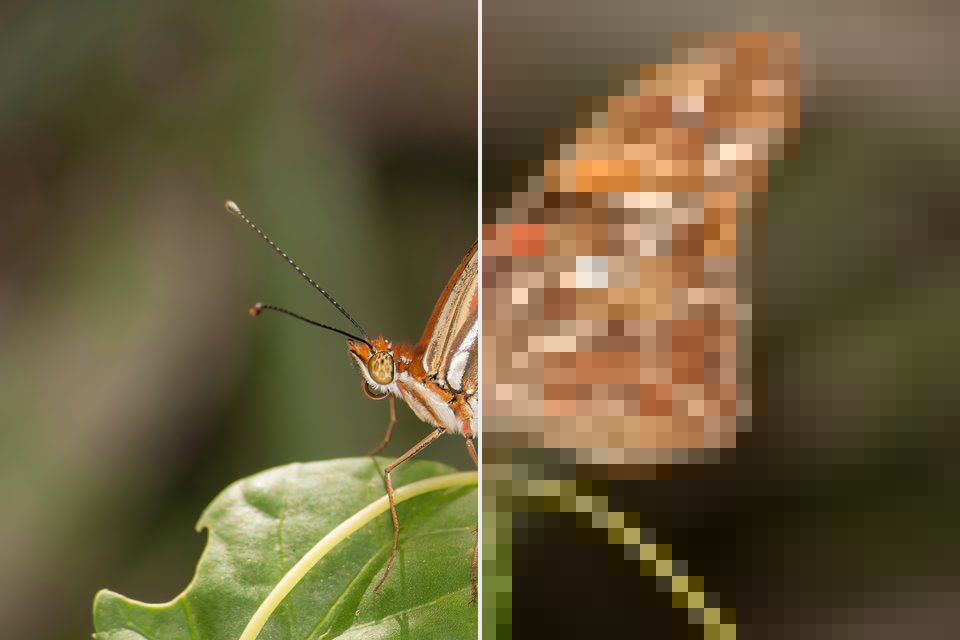
How to pixelate a picture
- Choose photos, a whole folder, or drop them on the page.
- Pick the block size and colours, and turn the grid or dithering on if you like; the preview updates.
- Save each photo, or all of them as a ZIP.
Pixelate a picture or make pixel art from a photo
A simple mosaic for a pixelated look, or real pixel art with a limited palette, dithering and a grid. Choose how many blocks fit across the picture.
Retro palettes: PICO-8, Game Boy, greys and black and white
Use automatic palettes of 8 to 64 colours from your photo, or a fixed retro palette, and save the result at full size or at one pixel per block.
Pixelate image: Questions
How do I pixelate a picture?
Choose the photo and move the Blocks slider: fewer blocks give bigger pixels. The picture keeps its size; each block takes the average colour of its pixels. To hide a face or a number plate only, the Blur Studio mini-app works on one area.
Which palettes can I use?
Automatic palettes of 8, 16, 32 or 64 colours chosen from your photo, or fixed ones: PICO-8 (16 colours), Game Boy (4 greens), 4 greys and black and white. Full keeps every block's own colour.
Can I save the pixel art at its real pixel size?
Yes: “1 pixel per block” saves a tiny image where each block is one pixel, for game sprites and pixel editors. “Full size” enlarges the blocks to the photo's size so they stay sharp when printed or posted.
Is the photo saved at full quality?
Yes. The effect runs on the full-resolution pixels and the photo is saved at high quality (JPG 90 by default, or PNG / WebP). The date, camera data and colour profile are kept, and the photo is turned the right way up.
Can I do hundreds of files at once?
Yes. Drop a whole folder or select as many files as you like. They are processed a few at a time on all your processor cores, with progress for every file. You can pause, stop, retry, and save as a ZIP or straight into a folder.
Are my photos uploaded anywhere?
No. FotoJock runs entirely in your browser: the files are read, converted and saved on your own phone or computer. Nothing is sent to a server, and it keeps working offline once the page is open.
Is it really free?
Yes, with no account, no watermark and no limit on the number of files. FotoJock is made by Foto Jocković, a photo shop in Belgrade.
All tools
Mini-apps
Free photo toys by Foto Jocković, each on its own page.
 VHS CameraVideo and photos with a real camcorder look
 Photo PuzzlePlay it, print it or laser-cut it
 On Your WallPreview a framed print on your wall
 Sticker MakerDie-cut stickers and sticker sheets
 Lithophane MakerA 3D-printable photo light box
 Star Map PosterThe night sky of your date and place
 City Map PosterThe streets of your place, as a print
 Film LabPick a film stock and shoot a 35 mm roll