Transparent background maker – Make a transparent background
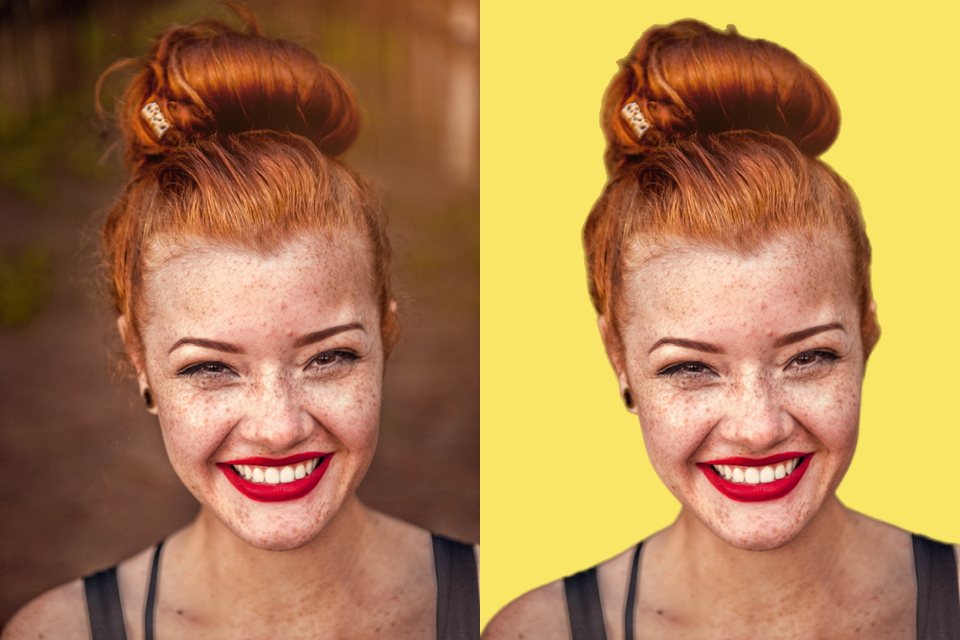
Turn the background of a photo, logo shot or product picture into transparency. Edges are cleaned of the old background’s colour, so the cut-out looks right on any new backdrop.
or drop files or a folder here, or paste
How to use it
- Choose photos, a whole folder, or drop them on the page.
- Pick transparent, a colour or your own backdrop; add a shadow or crop to the subject if you like.
- Save one photo or all of them as a ZIP, as PNG, WebP or JPG.
Questions
Which format keeps the transparency?
PNG and WebP both keep it. PNG is understood everywhere (Word, PowerPoint, Canva, print shops); WebP files are smaller and fine for websites. JPG cannot store transparency, so it is only offered when you choose a colour or image behind the subject.
How does the background removal work?
An AI model (BiRefNet) looks at the whole photo at 1024 pixels and decides for every pixel how much of it belongs to the subject. That map is then refined against your full-resolution photo along the edges, and the colours of the edge pixels are corrected so the old background does not shine through.
How good is it with hair, fur and glass?
Hair and fur come out well in most photos, including loose strands against a plain background. Very fine hair against a busy background, glass and smoke are the hardest cases: check the result zoomed in. Parts it got wrong can be switched off with a tap in the “Parts” view.
Can I remove the background from many photos at once?
Yes. Choose many photos or a whole folder; every photo gets the same settings and you save them all as one ZIP (or straight into a folder on computers that allow it). Change a setting and the finished photos are updated without cutting them out again.
Which AI model is used, and what is downloaded?
BiRefNet (MIT licence), about 270 MB, downloaded once and kept on your device for every later visit. It runs on your graphics chip through WebGPU. Where that is not possible, a lighter model (BiRefNet lite, 70 MB) or a basic one (IS-Net, 47 MB) is used, and the page tells you so.
Are my photos uploaded to a server?
No. The AI model is downloaded to your browser and runs there; your photos never leave your device. That is also why the first use takes a moment longer: the model is fetched once and then kept for later visits.
Is it really free?
Yes, with no account, no watermark and no limit on the number of files. FotoJock is made by Foto Jocković, a photo shop in Belgrade.
All tools
Mini-apps
Free photo toys by Foto Jocković, each on its own page.
 VHS CameraVideo and photos with a real camcorder look
 Photo PuzzlePlay it, print it or laser-cut it
 On Your WallPreview a framed print on your wall
 Sticker MakerDie-cut stickers and sticker sheets
 Lithophane MakerA 3D-printable photo light box
 Star Map PosterThe night sky of your date and place
 City Map PosterThe streets of your place, as a print
 Film LabPick a film stock and shoot a 35 mm roll