AI image upscaler on your own device
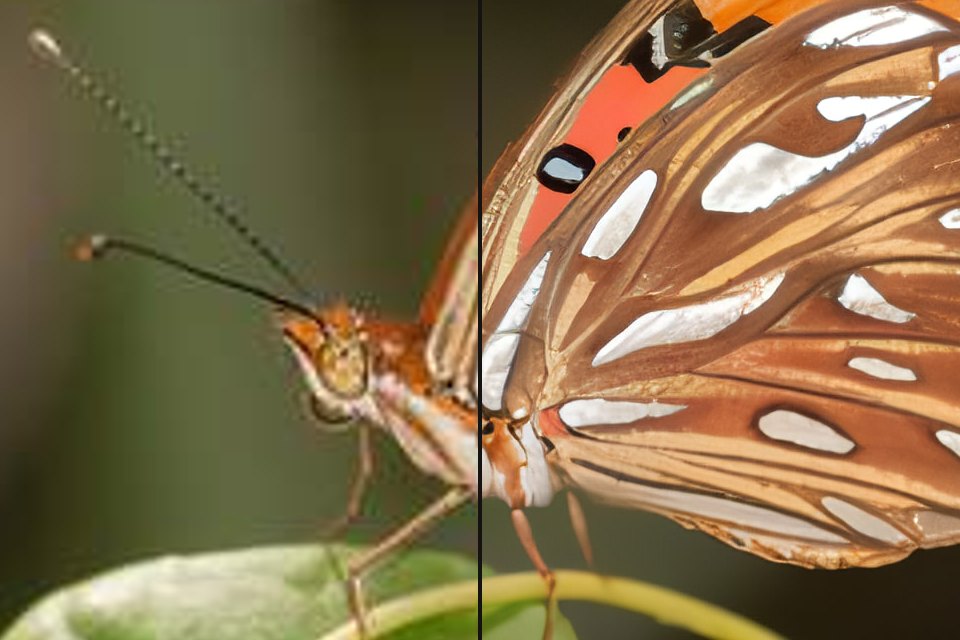
Two AI models: Natural, which enlarges faithfully, and Enhance details, which adds realistic texture. Both run on your computer or phone, so your photos stay private.
or drop files or a folder here, or paste
How to use it
- Choose photos, or a folder: they wait in the strip below.
- Pick 2×, 4× or a target size such as 4K or A4, and Natural or Enhance details.
- Compare before and after with the slider, zoom in, and save one file or all as a ZIP.
Questions
Which mode should I choose?
Natural for most photos, and always for documents, text, faces that must stay exact and anything that could be used as evidence: it does not invent detail. Enhance details looks sharper on landscapes, fabric, fur and skin, because it adds texture that the AI thinks belongs there.
How does AI upscaling work?
An AI model trained on millions of photo pairs (small and large) looks at every part of your picture and draws it again with 2 or 4 times the pixels. Unlike simple enlarging, which only blurs between the existing pixels, it rebuilds edges, lines and fine texture, and removes JPG blocks and noise on the way.
Is the added detail real?
No upscaler can recover detail that the photo never captured. Natural mode stays close to what is there. Enhance details and Max add realistic texture such as pores, leaves or fabric weave that the AI invents: it looks convincing, but it is not what the camera saw. Don't use those modes for documents, evidence or identifying people.
What does not work well?
Tiny faces (about 20 px), text smaller than about 6 px, and photos that are strongly blurred or very heavily compressed. No model in this class recovers those; they stay soft or come out invented. The best results come from small but clean photos, 300 to 1500 px.
How long does it take?
With a graphics chip (WebGPU in Chrome, Edge or Safari) a typical photo takes seconds. Without one the AI runs on the processor: a 1-megapixel photo takes about a minute in Natural mode and several minutes with Enhance details. The page says when a mode will be slow on your device.
Which AI models are used?
Natural: waifu2x swin_unet photo models by nagadomi (MIT licence), 10 MB. Enhance details: 4xBHI_realplksr_dysample_real and Max: 4xBHI_dat2_real, both by Philip Hofmann (CC BY 4.0), 15 and 29 MB. They are downloaded once, kept on your device and run in your browser.
Are my photos uploaded to a server?
No. The AI model is downloaded to your browser and runs there; your photos never leave your device. That is also why the first use takes a moment longer: the model is fetched once and then kept for later visits.
Is it really free?
Yes, with no account, no watermark and no limit on the number of files. FotoJock is made by Foto Jocković, a photo shop in Belgrade.
All tools
Mini-apps
Free photo toys by Foto Jocković, each on its own page.
 VHS CameraVideo and photos with a real camcorder look
 Photo PuzzlePlay it, print it or laser-cut it
 On Your WallPreview a framed print on your wall
 Sticker MakerDie-cut stickers and sticker sheets
 Lithophane MakerA 3D-printable photo light box
 Star Map PosterThe night sky of your date and place
 City Map PosterThe streets of your place, as a print
 Film LabPick a film stock and shoot a 35 mm roll